Index
- Key Takeaways
- What a Cloud Agent Actually Is
- Local vs. Cloud Agents: The Real Tradeoffs
- Practical Use Cases for Cloud Agents
- Setting Up a Cloud Agent Environment
- Limitations and Honest Caveats
- Frequently Asked Questions
Local AI coding assistants stop executing the instant you close your laptop lid or disconnect from power. Cloud AI coding agents do not. That single structural difference defines the shift from local completion helpers to autonomous remote compute agents.
While local assistants run model inference and terminal tools inside your local development editor, cloud agents execute on dedicated remote virtual machines. This structural decoupling enables long-running background tasks, continuous integration feedback loops, and unattended code refactoring. This guide examines how cloud agents work, evaluates the major platforms, compares local versus cloud tradeoffs, and details the infrastructure required to deploy them effectively.
Key Takeaways
- Independent Compute: Cloud agents run on remote headless containers, allowing execution to continue after local machines are powered down or disconnected.
- Major Verified Platforms: Leading options include Cursor Cloud Agent, Devin (Cognition), GitHub Copilot Workspace, and Replit Agent.
- Core Workflows: Primary use cases include automated bug reproduction, test-verified bug fixing, exploratory quality assurance (QA) sweeps, and scheduled security scanning loops.
- Operational Tradeoffs: Cloud agents reduce local hardware load (CPU throttling, thermal buildup) but introduce compute-hour costs, initial environment setup friction, and latency overhead for simple edits.
What a Cloud Agent Actually Is
A cloud agent is an autonomous software development agent that executes code, terminal commands, and browser inspections on dedicated remote infrastructure rather than a developer’s local machine.
Unlike local extension-based tools that rely on the developer’s CPU, active editor state, and active internet connection, a cloud agent operates inside isolated cloud sandboxes (such as Linux containers or virtual machines). When a task is assigned, the cloud platform clones the specified repository, sets up environment variables, installs dependencies, and runs an internal control loop until the assigned goal is achieved or a timeout occurs.
Major Cloud Agent Platforms
Several platforms currently provide dedicated cloud agent environments:
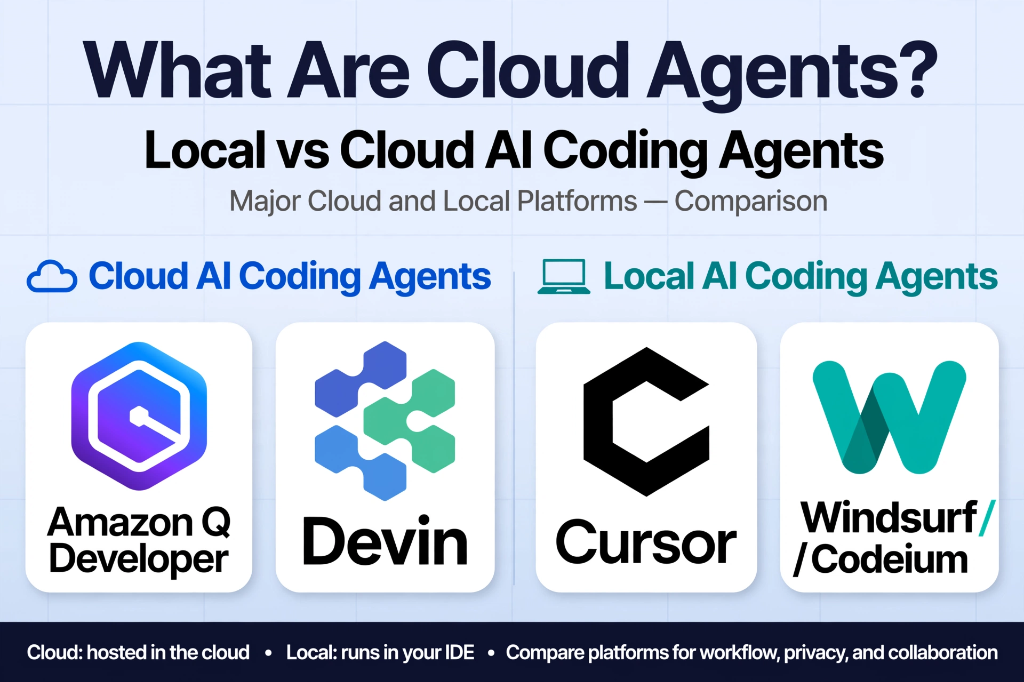
- Cursor Cloud Agent: Integrated directly into Cursor’s ecosystem. Accessible via desktop windows or the web dashboard (
cursor.com/agents), it allows developers to trigger cloud-hosted tasks from issue trackers or chat integrations like Slack. - Devin (Cognition): An autonomous cloud agent operating in dedicated remote Linux sandboxes. It features shell access, terminal execution, and browser automation to run full-stack code modifications and verify PRs.
- GitHub Copilot Workspace: A cloud-native environment operating inside GitHub infrastructure that converts issue specifications into plan-and-build pipelines within isolated cloud containers.
- Replit Agent: Built on top of Replit’s serverless cloud infrastructure, allowing users to build, test, and deploy full applications directly within a cloud-hosted development environment.
Local vs. Cloud Agents: The Real Tradeoffs
Choosing between local IDE assistants and cloud agents involves technical and operational trade-offs across hardware load, cost, latency, and task duration.
| Operational Factor | Local AI Assistants (e.g., Extension Agents) | Cloud AI Coding Agents (e.g., Cursor Cloud, Devin) |
|---|---|---|
| Machine Dependency | Requires active device connection; stops if laptop lid is closed | Fully independent; runs asynchronously on remote servers |
| Task Duration | Bound to user session; impractical for multi-hour tasks | Supports extended multi-hour background execution |
| Local Hardware Load | High CPU/RAM usage; causes thermal throttling and fan noise | Zero local compute load; offloaded to cloud virtual machines |
| Billing Model | Fixed monthly subscription or local token consumption | Compute-hour runtime billing plus model token costs |
| Feedback Latency | Near-instantaneous for minor inline edits | Setup overhead (container boot, repo clone) per task |
| Repository Access | Uses local file access permissions | Requires granting cloud OAuth / SSH write access |
Tradeoffs to Consider
While offloading work to remote servers eliminates local hardware strain, cloud agents introduce distinct friction points:
- Compute-Hour Costs: Running multi-hour exploratory tests or continuous loops across multiple instances can accumulate significant cloud runtime charges.
- Environment Configuration Overhead: Every cloud agent requires a reproducible sandbox environment. Missing environment variables or unconfigured build dependencies will cause background runs to fail.
- Latency for Micro-Edits: For quick two-line fixes or single-file edits, booting a remote container introduces unnecessary setup latency compared to immediate local editor changes.
Practical Use Cases for Cloud Agents
Cloud agents are particularly effective for tasks that require extended execution time or isolated reproduction environments.
1. Independent Bug Verification
Before attempting a fix, a cloud agent can be instructed to read a bug report from an issue tracker, launch a clean application build inside its remote container, and attempt to reproduce the reported failure. The agent generates logs, screenshots, or screen recordings demonstrating the bug in action, confirming whether the issue is genuine or an isolated environment error.
2. Verified Bug Fixing with Recorded Proof
Rather than relying solely on static code modifications, developers can require cloud agents to verify their own code changes. After modifying the codebase, the agent executes full test suites or uses automated browser tools to perform the broken workflow. The agent attaches terminal outputs or screen recordings to the pull request, confirming that the fix resolves the problem without introducing visual regressions.
3. Automated End-to-End Quality Assurance (QA)
Testing entire application flows manually is time-consuming. A cloud agent can be tasked with executing comprehensive QA plans (e.g., testing 100+ individual navigation flows, form submissions, and authentication states). The agent generates a complete breakdown of passed tests, failed assertions, and unconfigured environment flags.
4. Scheduled Security and Automation Loops
Because cloud agents do not rely on local hardware, they can run as scheduled cron jobs. For example, an agent can inspect a repository every morning for outdated dependencies, static security vulnerabilities, or dead code paths. If an issue is detected, the agent drafts a pull request with the corresponding fix and dispatches a notification via webhooks or Slack.
Setting Up a Cloud Agent Environment
To operate cloud agents efficiently, development teams configure three core infrastructure layers:
Issue Tracker Integration
Cloud agents function best when tied directly to task management systems like Linear, GitHub Issues, or Jira. By configuring Model Context Protocol (MCP) handlers or platform webhooks, developers can assign issues to an agent by adding a tag or assigning the agent user. The cloud agent parses the issue description, reads attached screenshots or logs, and initializes a background resolution thread.
Repository & Environment Variable Secret Stores
Because cloud agents execute inside fresh remote containers, platform environment settings must be explicitly defined. Developers store secure secrets (such as staging database credentials, test API keys, and auth tokens) within the platform’s encrypted secret manager. This allows the cloud container to launch fully functional staging builds without exposing credentials in code.
Automated Code Review Loops
To maintain code quality, teams pair cloud agents with automated code review pipelines. For example, tools like Greptile provide automated review skills (such as /greploop) that evaluate pull requests, provide structured feedback, and prompt the agent to iterate until all review comments are resolved. Separately, platforms like Graphite provide stacked pull request workflows to break complex agent-generated changes into smaller review units.
Limitations and Honest Caveats
Despite their efficiency advantages, cloud agents require clear operational boundaries:
Accumulated Compute Billing
Running continuous background loops or frequent multi-hour QA runs can quickly elevate operational expenses. Teams must set explicit timeout limits and execution budgets per task to prevent runaway compute costs.
Risk of Over-Trusting Automated Pass Reports
A cloud agent may report a successful test run even if subtle logical flaws persist. Automated screen recordings and test logs assist code review, but they do not replace human oversight. Developers must thoroughly inspect agent-generated pull requests before merging.
Security and Data Access Boundaries
Granting cloud platforms write access to internal source repositories and staging APIs introduces security considerations. Organizations must verify platform compliance, data retention policies, and SOC 2 certifications before deploying agents across proprietary codebases.
Frequently Asked Questions
Do cloud agents replace local IDE assistants like GitHub Copilot or Cursor local mode?
No. Cloud agents and local assistants target different developer workflows. Local assistants excel at real-time line completions and quick single-file refactoring, while cloud agents handle asynchronous, long-running, or multi-step tasks that run independently of the local machine.
What happens to a cloud agent task if my local computer loses internet connection?
The task continues uninterrupted. Because the execution logic, repository state, and container environment reside on remote cloud servers, local network disruptions or device power loss do not affect the background run.
Are cloud agents safe to use with private corporate codebases?
Security depends on individual platform architecture and compliance policies. Major enterprise platforms isolate agent execution within single-tenant cloud sandboxes and state that customer code is not retained or used for public model training. Teams should review each vendor’s data processing agreement.
About the Author
Ether Exter is an AI enthusiast with 5 years of experience testing and experimenting with AI models, breaking down what actually works. Follow on X: @EtherExperiment.
Sources
- Cursor Cloud Agent Documentation & Web Interface Specs, Cursor Docs, 2026. Cursor Documentation.
- Devin Autonomous AI Software Engineer Platform Architecture, Cognition AI, 2026. Cognition AI.
- GitHub Copilot Workspace Specifications, GitHub Documentation, 2026. GitHub Docs.
- Replit Agent Platform & Serverless Infrastructure Specifications, Replit Docs, 2026. Replit Documentation.
- Greptile Code Review Loop (/greploop) Agent Skill Specifications, Greptile AI, 2026. Greptile.